CopyLaTeX
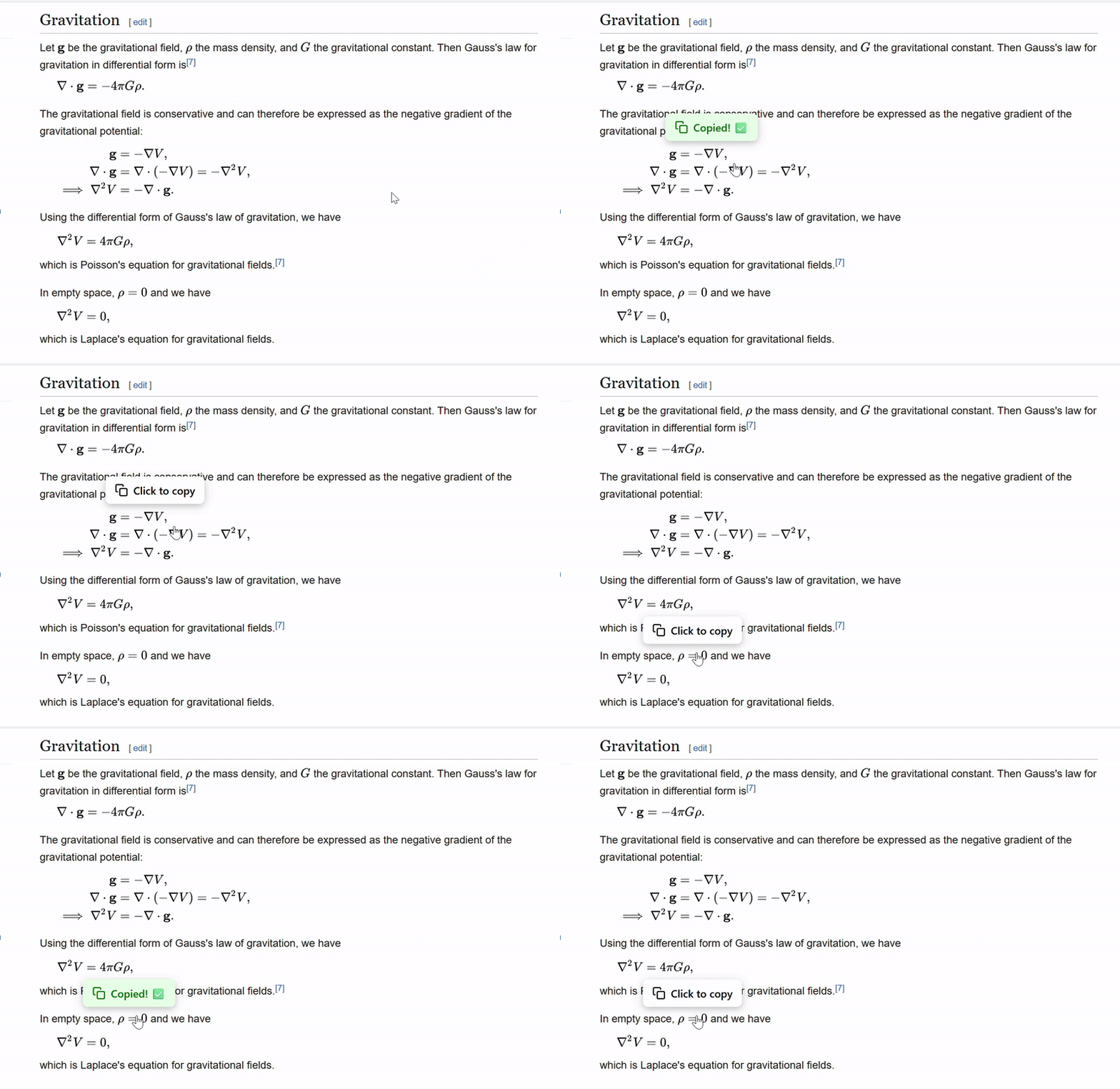
Copy LaTeX code from equations on websites that use KaTeX or MathJax. It also works with math images on Wikipedia and Wikiwand.
Firefox Add-on · Chrome Web Store
How to use
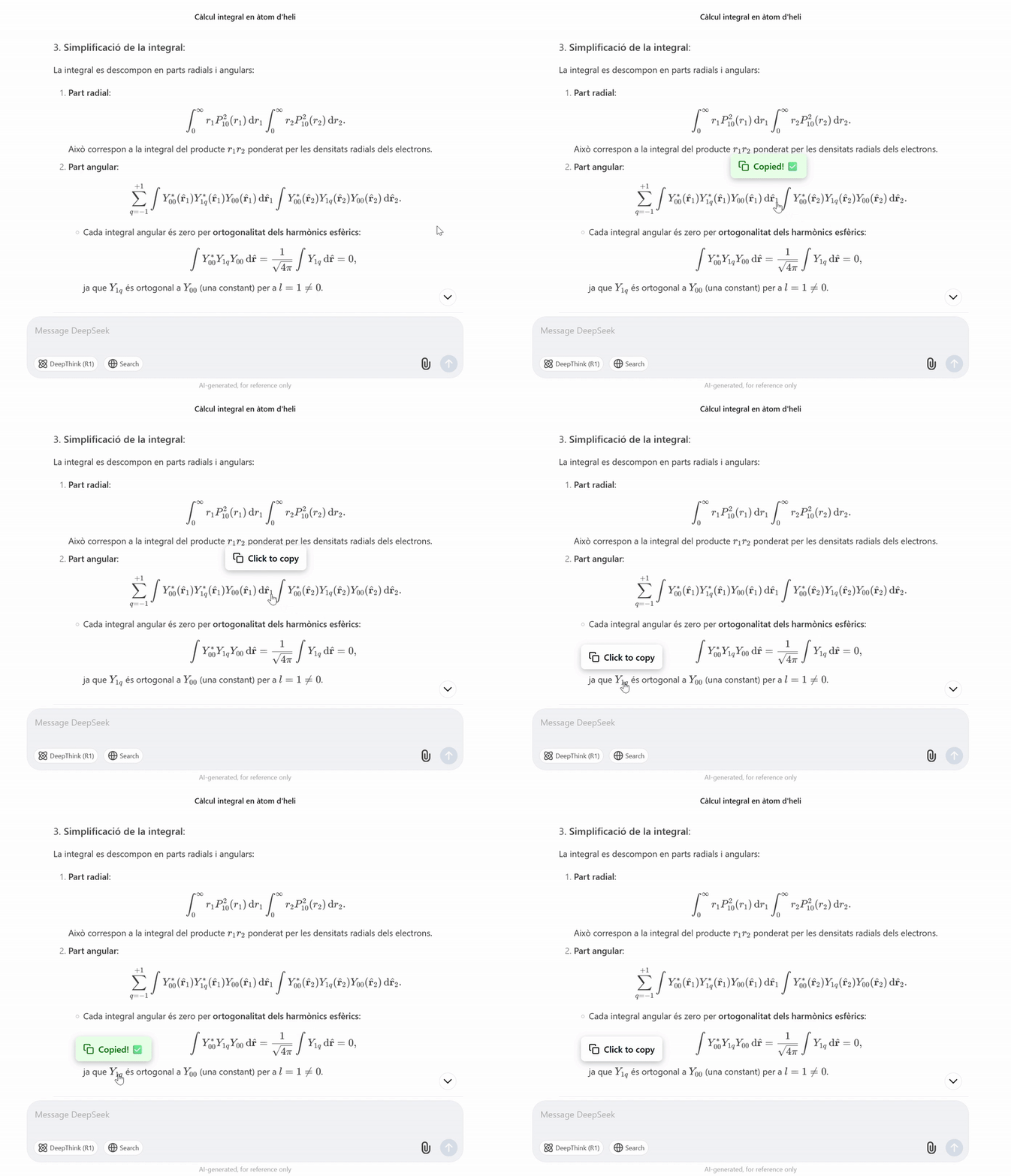
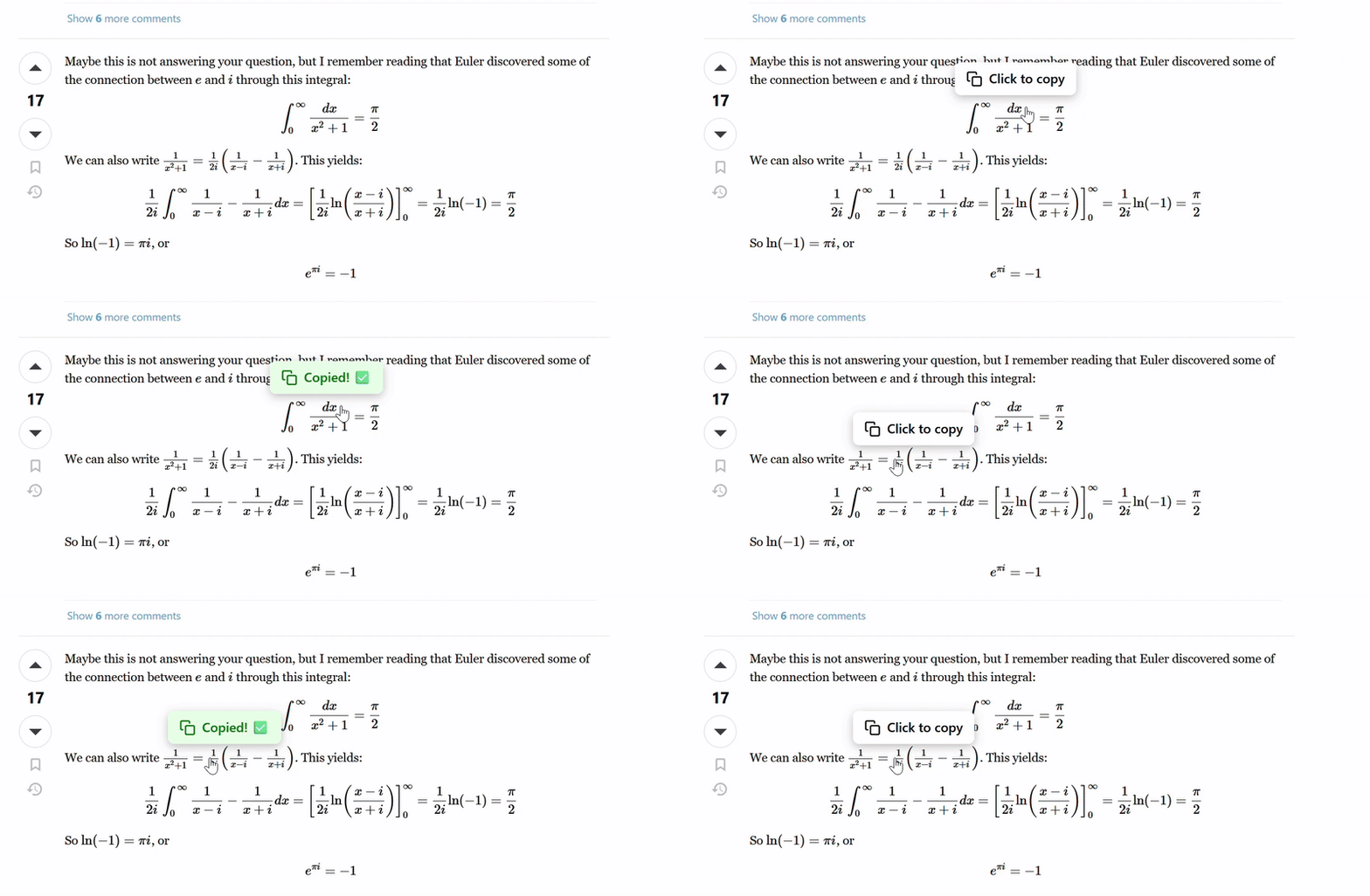
Hover over an equation and click Click to copy. Paste the LaTeX where you need it.
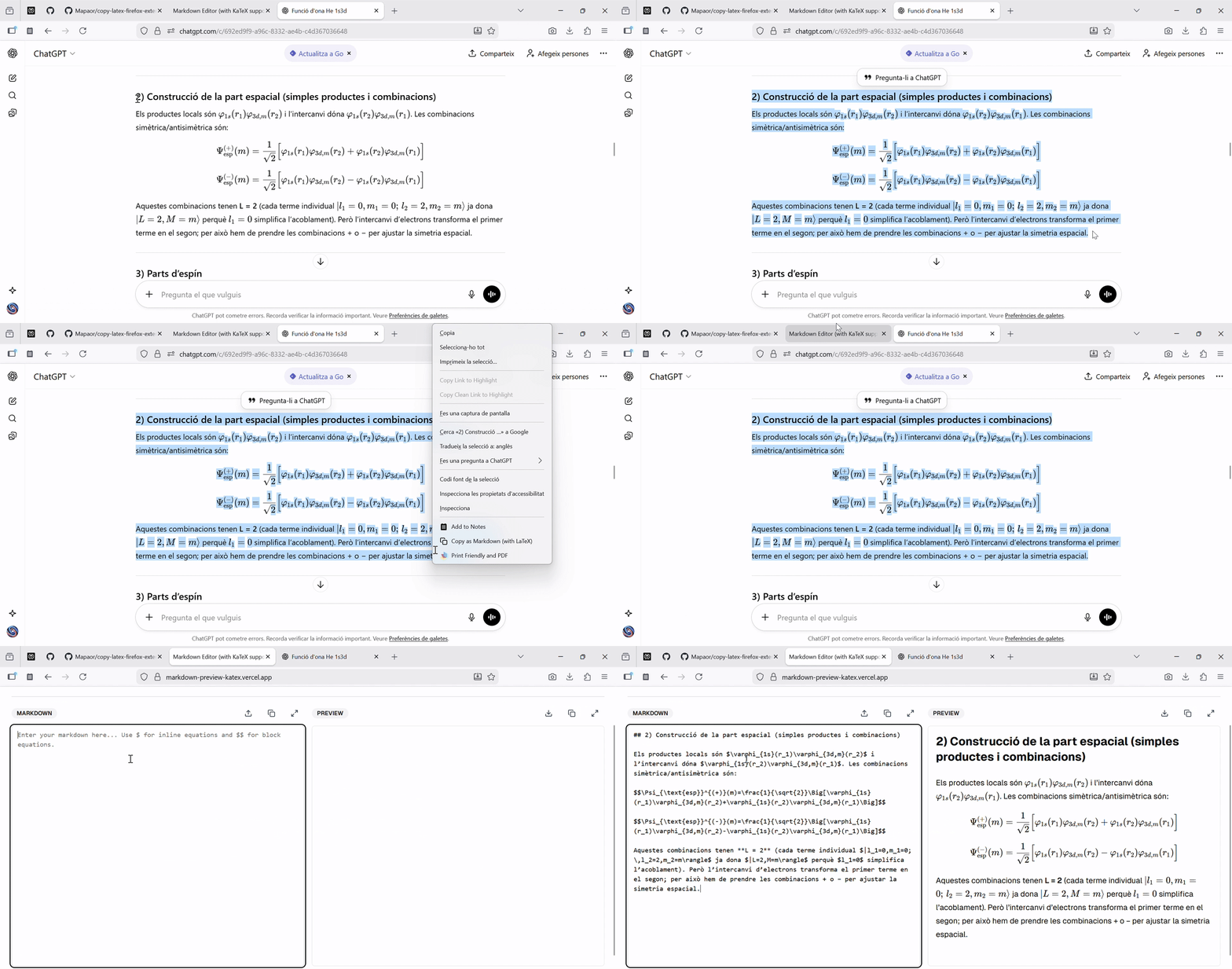
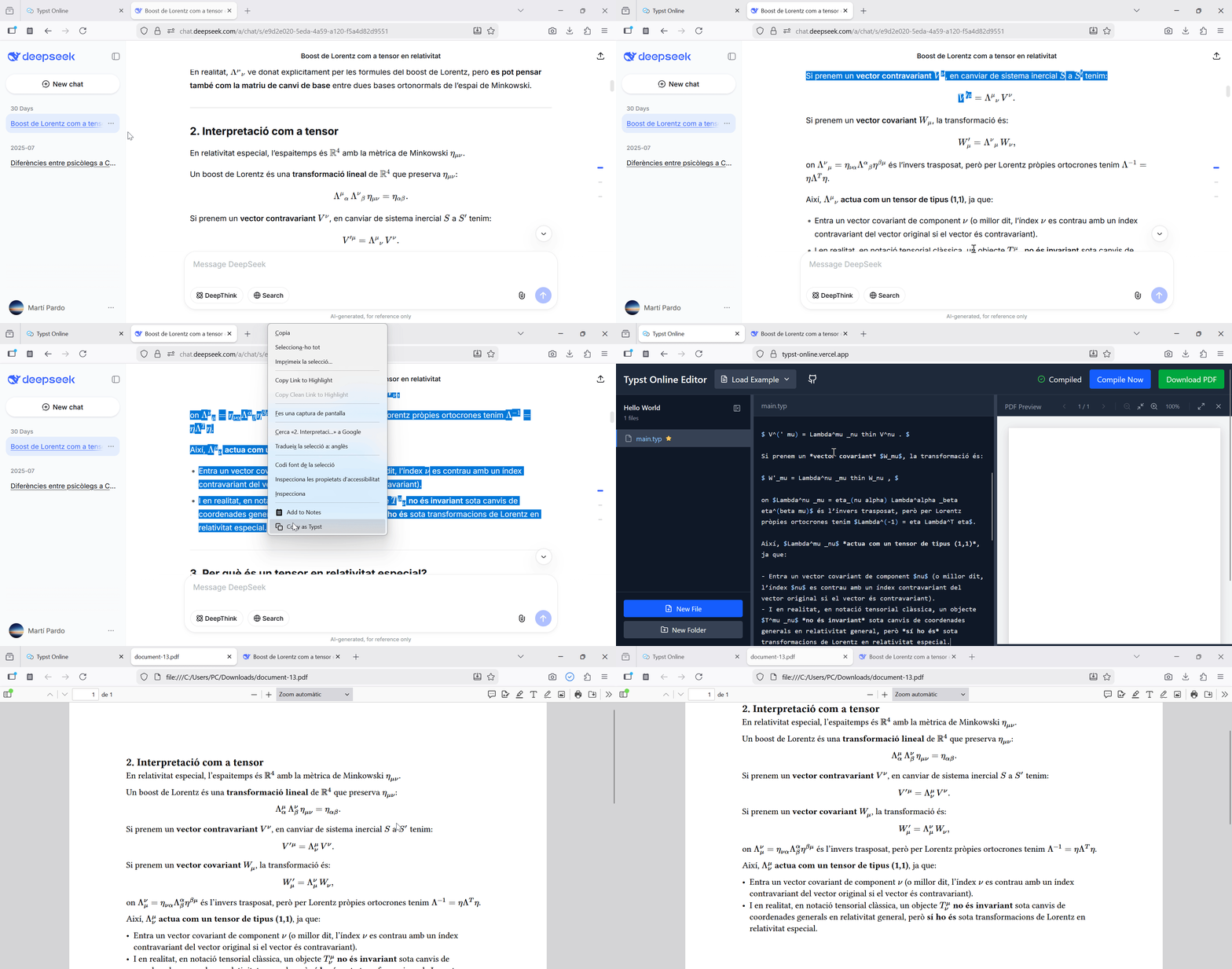
Select text that includes equations, right-click, and choose Copy as Markdown. Choose LaTeX or Typst in the extension popup.
In the popup there are other preferences. For example you can choose the extension's theme, disable the hover overlay (and copy equations via right click) or override Ctrl+C/Cmd+C to copy the selection.
Examples
KaTeX
MathJax
Wikipedia math images
Copy a selection as Markdown
Copy as Typst
Firefox
Install from Firefox Add-ons.
To load it locally, open about:debugging, select This Firefox, then Load Temporary Add-on. Choose the extension's manifest.json.
Manage site access in Firefox Settings → Extensions & Themes → CopyLaTeX → Permissions and Data.
Chrome
Install from the Chrome Web Store.
To load it locally, open chrome://extensions, turn on Developer mode, select Load unpacked, then choose the src folder.
Manage site access at chrome://extensions → CopyLaTeX → Details.
Chrome extensions also work in Brave and Arc.
Upcoming features
Custom delimiters (`$`, `\(`, `$$`, `\[`, ...), custom translations (Click to copy -> Haz clic para copiar) and custom markdown formatting options (display equations spacing and unordered list marker).
Contributing
Open an issue or a pull request to either one of the repositories (copy-latex-firefox-extension or copy-latex-chrome-extension), preferably to the firefox one.
You can also contact me by email at pardo.marti@gmail.com.
Final note
If you could add a review to the extension it would mean a lot. Thanks!